Tasmota V2 Overview
These pages cover the newer custom Tasmota interface used on newer Smart Hut plugs.
The existing Tasmota pages elsewhere in the Smart Plug docs are still valid for older shipped plugs with the earlier UI.
What is different
- The main menu exposes dedicated buttons for
WiFi,MQTT,Matter,Information,Advanced, andRestart. - Advanced options such as configuration, firmware upgrade, console, and tools sit behind the
Advancedpage. - Firmware upgrade now includes an explicit risk acknowledgement before OTA or file upload upgrades can continue.
- Risky stock Tasmota options such as module, template, backup, and restore configuration are hidden from the normal configuration page.
- Smart Hut defaults are built in, including the plug template, default hostname, default MQTT topic, Matter support, and reset protection.
- The setup flow is still the same at a high level, but the page layout differs from stock Tasmota and older shipped firmware.
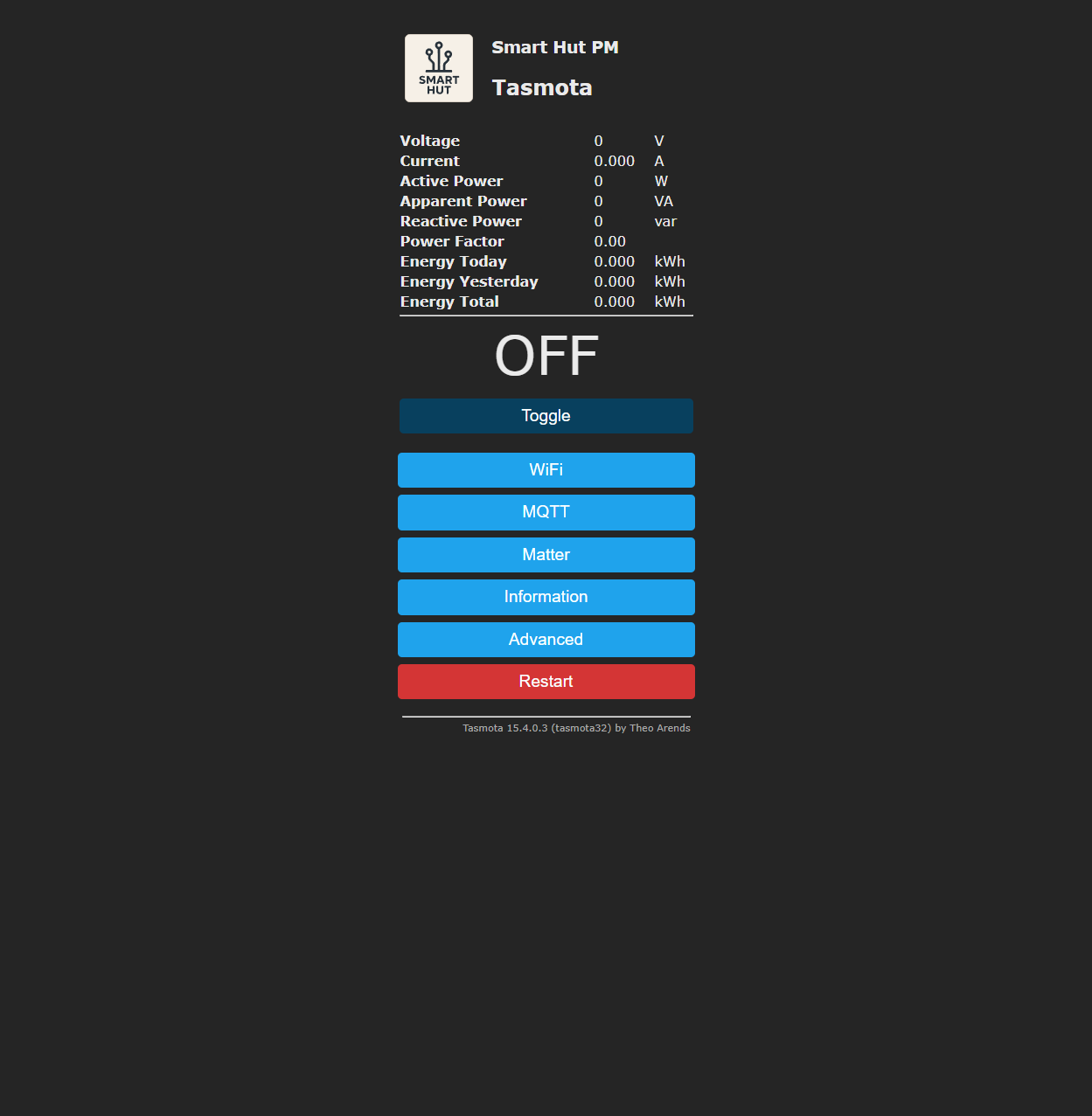
Start with Custom Tasmota Firmware if you want to understand the Smart Hut-specific changes before configuring Wi-Fi, MQTT, or Matter.
V2 Pages
📄️ Tasmota V2 Overview
These pages cover the newer custom Tasmota interface used on newer Smart Hut plugs.
📄️ Custom Tasmota Firmware
Newer Smart Hut Tasmota plugs use a custom Tasmota build based on upstream Tasmota with Smart Hut defaults and a simplified web interface.
📄️ Tasmota V2 Wi-Fi Setup
Tasmota still provides a temporary wireless access point for first-time setup.
📄️ Tasmota V2 MQTT
You will need a working MQTT broker before enabling MQTT integration.
📄️ Tasmota V2 Matter
Newer Smart Hut Tasmota plugs include Matter support and expose Matter configuration directly from the main menu.