Tasmota V2 MQTT
You will need a working MQTT broker before enabling MQTT integration.
From the Tasmota v2 main menu, open MQTT.
On this firmware, the MQTT enable checkbox lives on the Other parameters page rather than in a separate MQTT-only screen. The main menu MQTT button takes you directly to that page.
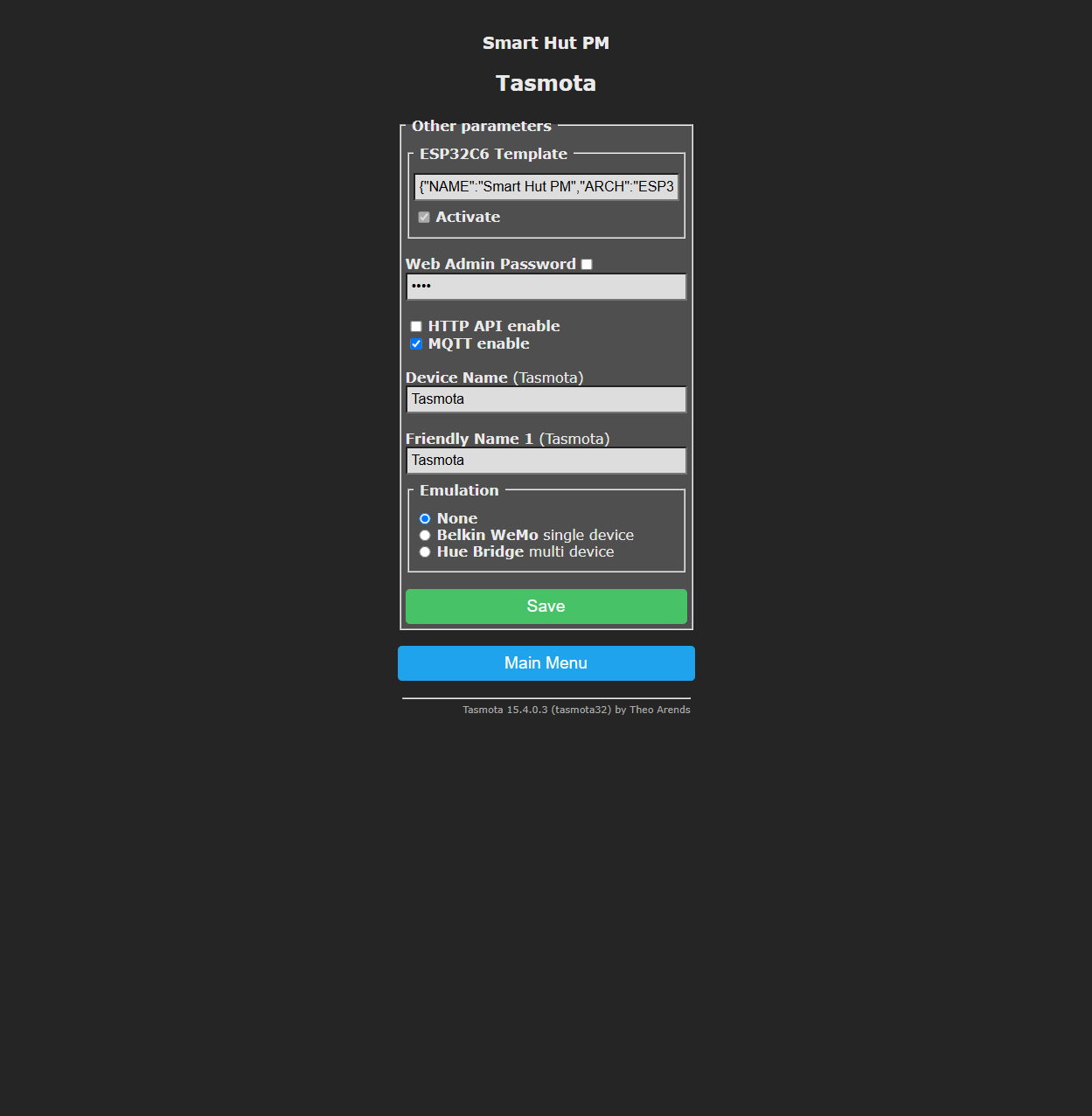
For newer Smart Hut plugs:
- Ensure
MQTT enableis checked - Set
Device NameandFriendly Name 1if you want a friendlier label in your automation system - Click
Save
The default MQTT topic is smarthutpm-XXXXXX, where XXXXXX is based on the plug MAC address. This gives each plug a unique topic by default.
If your setup also needs broker host, port, username, password, or full topic settings, open Advanced, then Configuration, and check whether your firmware exposes the standard Tasmota MQTT configuration page after MQTT is enabled.
Suggested use cases:
- Use MQTT for Home Assistant discovery if you prefer the Tasmota integration over Matter.
- Use MQTT for Node-RED, custom dashboards, or other automation systems.
- Keep the default topic for a single plug, or set a clearer unique topic such as
kitchen-plugif you manage multiple devices.