Matter
Our Tasmota plugs support Matter and it is enabled by default. You can find the setup code to add your plug to your Matter network on the main page of the plug after connecting to your wifi network.
For Alexa app and voice control, follow the Amazon Alexa setup guide.
Newer plugs have a Matter button on the main Tasmota page. See Tasmota V2 Matter if your plug has the newer interface.
Matter connections are only enabled for a limited time after initial startup. You'll need to re-enable Matter if you don't add it to your network in this time.
Enable Matter
If you need to re-enable Matter, go to Configuration > Configure Matter and enable Matter with the checkmark, then click Save. On newer firmware, open Matter from the main menu instead.
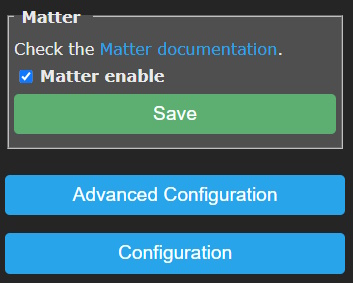
After a restart device commissioning will be open for 10 minutes.
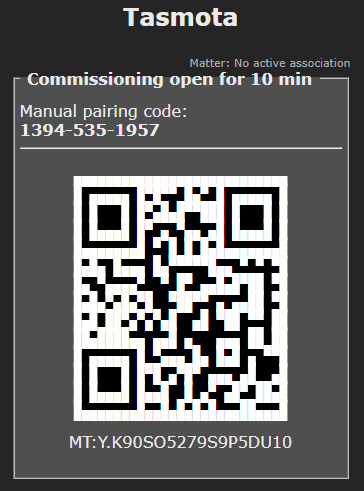
Add the device to your Matter hub by scanning the QR code or with the "Manual pairing code" if code scanning is not possible.